

Up Close With Twitter’s New Product Pages & Collections For Shopping
Social media platform become more Amazon-like by allowing accounts to create pages about products and group them into collections, all of which can be tweeted.
Spy on Any Website

Today, Twitter introduced two new ways it will surface product information to encourage purchasing through the platform. One is Product Pages, which are tweets that lead to shopping information about an item. The other are Product Collections, a collection of Product Pages. Here’s how they work.
Twitter Product Pages
Product Pages allow Twitter accounts to share tweets that take people into a shopping experience. Here’s an example from The Ellen Show:
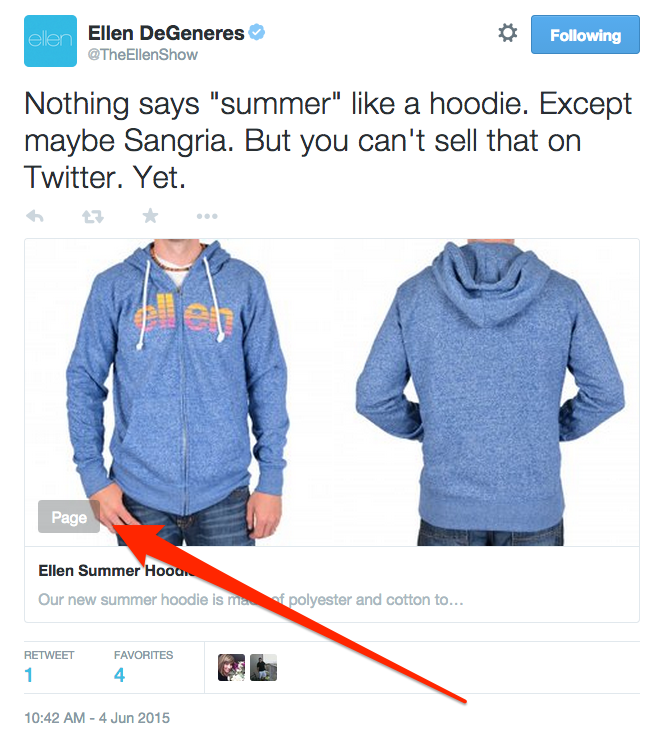
You won’t find this in The Ellen Show’s timeline, though it does exist here. Twitter probably helped the account create and hide the tweet until today’s news was announced. But in the future, you can expect to see more of this. Product Pages will get tweeted, then people who select those get taken into a shopping experience:
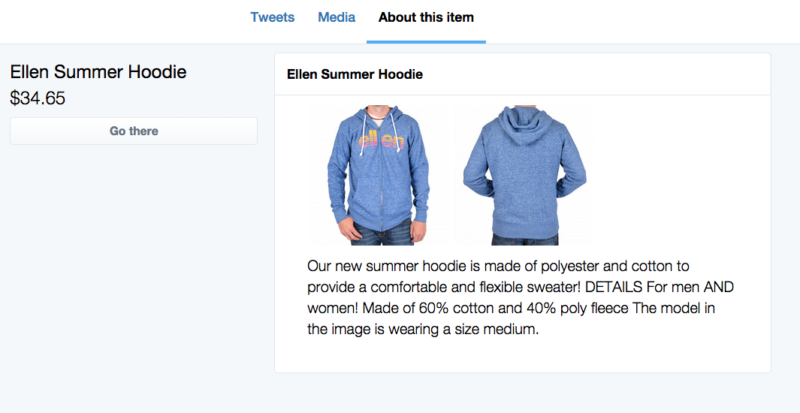
In this case, the Product Page opened to “About this item” view by default, rather than tweets about it. I’ll get back to those options more below. Presumably, this is an option that accounts can choose, if they want.
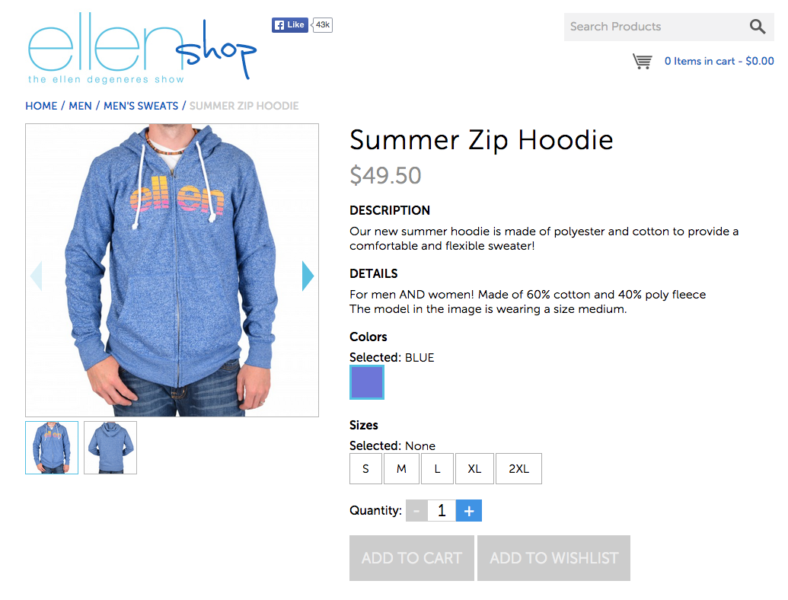
Selecting the “Go there” option takes people to where they can purchase the item at the Ellen Shop:
Twitter Product Collections
Accounts can also tweet Product Collections, which are a collection of Product Pages. Here’s an example of The Ellen Show tweeting a collection today:
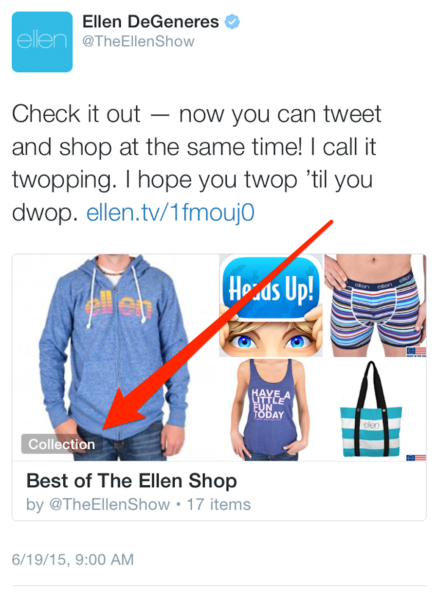
The example above came from mobile, rather than those I showed earlier from desktop. As you’ll see, the mobile experience is much more compelling. Click on the tweet, and you get taken into the collection:
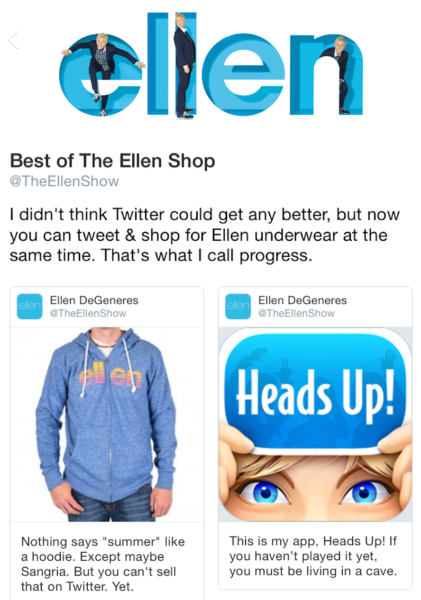
From there, you can select an item. In this case, I’ve picked the same summer hoodie I used in the earlier desktop example:
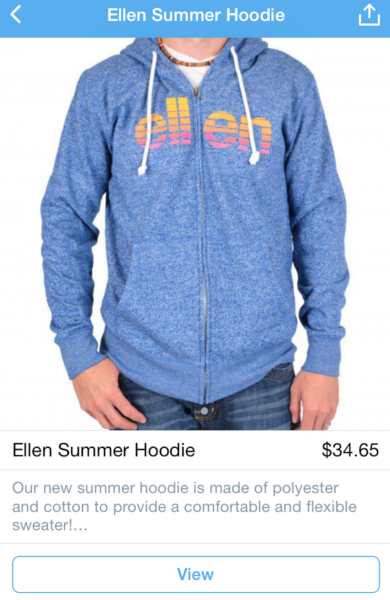
Note that the “Go there” option now says “View.” It’s odd that Twitter is using different terms for the same action for desktop and mobile users, but that’s what seems to happen. Also, if Ellen were making use of Twitter’s own buy button, that would replace the “View” button. I’ll come back to this. Selecting “View” takes you to the Ellen Shop.
Recommended Articles

Product “Collections” Via An Account Profile
Twitter also makes it possible for accounts to feature Product Collections via their profiles. Here’s how it looks on desktop, for Nike Basketball:

The “Browse Collection” option is fairly buried on the page. If you do find it, clicking brings up a list of Product Page tweets:
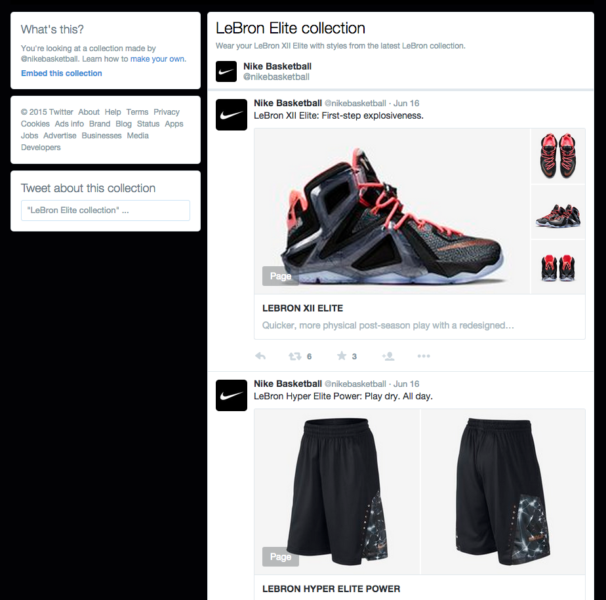
Selecting a product from the list brings up a product page similar to what happened with The Ellen Show. But in this case, the focus of the page is on tweets about the product:
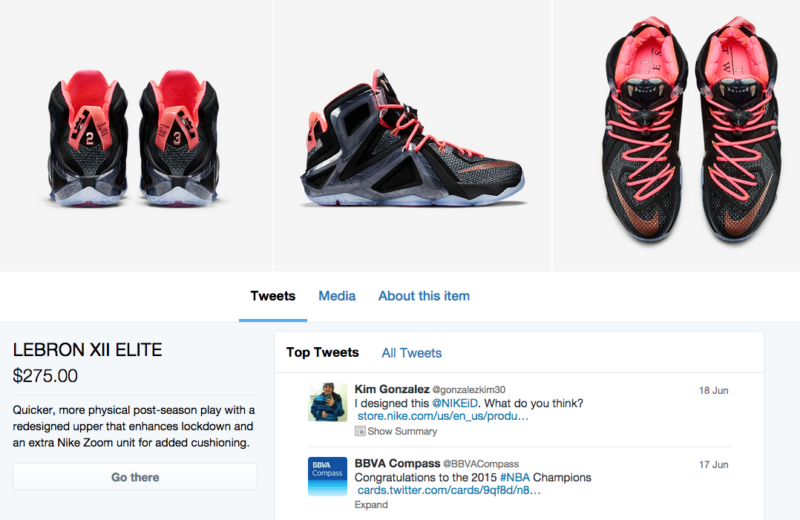
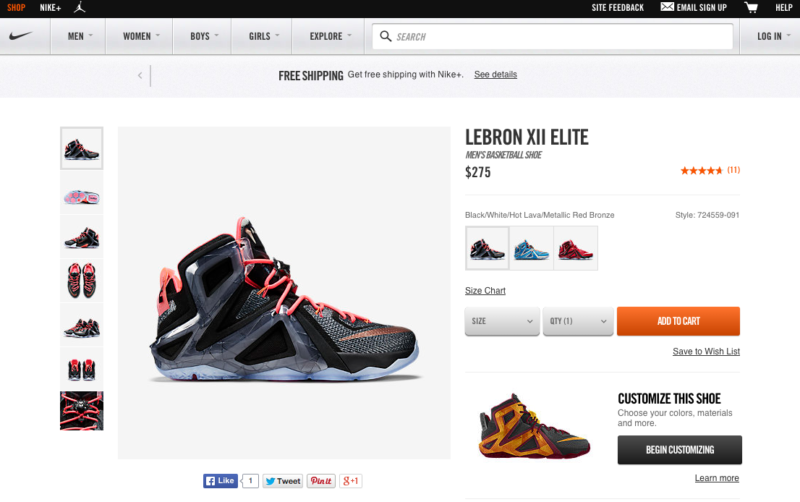
I find the tweet-focused view far less compelling than the “About this item” format. By the way, when I selected the “Media” option, I got nothing. If you select the “Go there” button, as with The Ellen Show, you get taken to Nike’s store to complete your purchase:
Collections More Compelling On Mobile
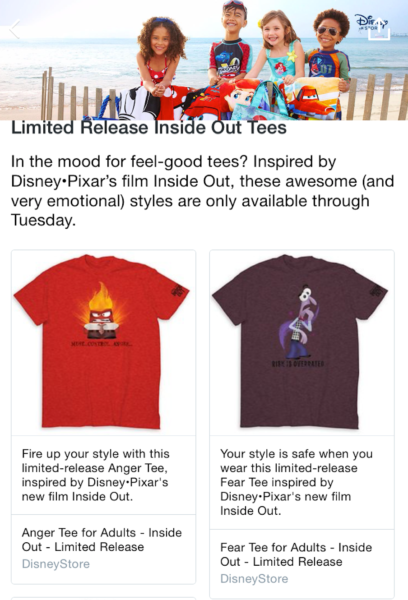
Now consider how Product Collections work with mobile profiles. As the example with The Disney Store below shows, it’s much more prominent and compelling. There’s a big “Shop Collection” box at the top of the profile:

Select that, and you get list of products that The Disney Store is pushing:
Select a product, and you learn more about it, in an almost Amazon-like fashion:
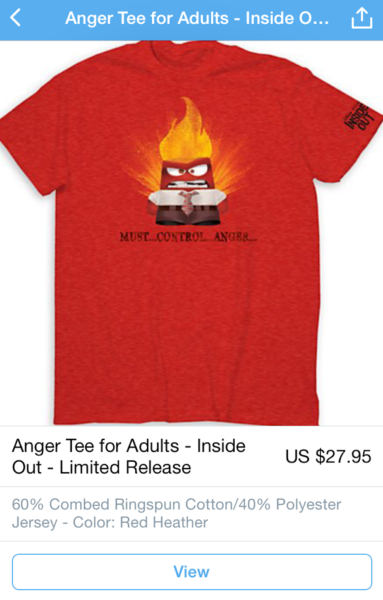
You can then choose “View” which leads to a purchase page at the Disney Store site itself:
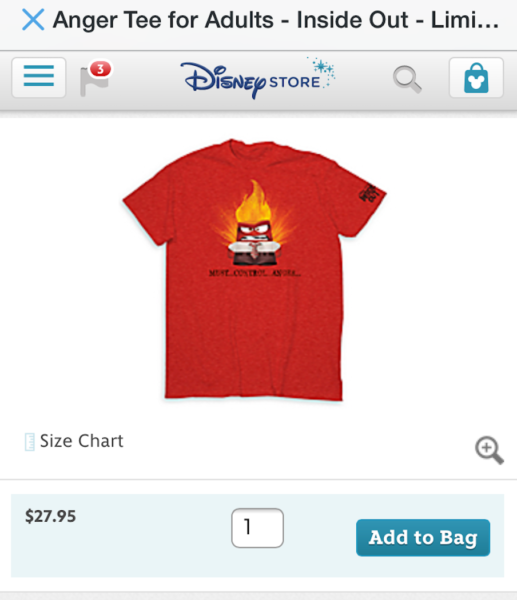
The Twitter Buy Button In Action
Here’s one more, for Penguin Random House, which tweeted a collection of books related to the planet Mars:

That opens up to the Product Collections view:

In turn, you can select a Product Page for one of the books:

At the bottom of that page is a Twitter Buy Button. Selecting that would let you buy the book directly via Twitter:
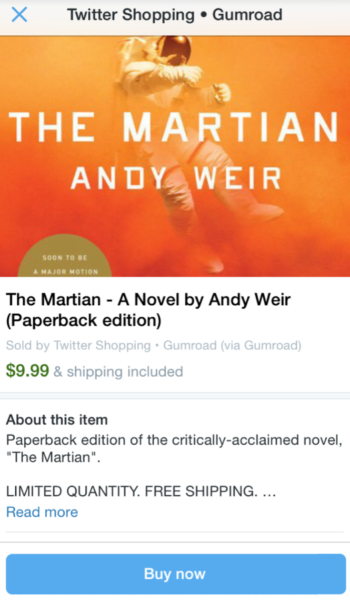
And you should — the example in this case, The Martian by Andy Weir, which is excellent. Definitely buy it.
Collections In Search
If you’re using iOS, you can click on the search box, then scroll way past all your recent and saved searches. At the bottom, you’ll find a new “Categories” area where you can click to see Product Collections about shopping, entertainment and places:

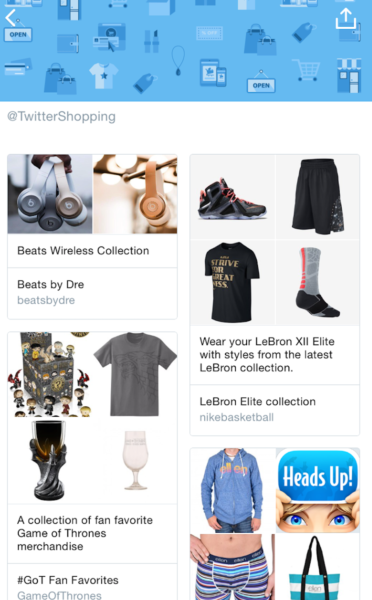
No doubt this option will be made more prominent in the future.
How Can I Get This?
Right now, Twitter Product Pages and Product Collections are in testing with a small group of Twitter accounts. Stay tuned for news, in case the program expands.
Contributing authors are invited to create content for MarTech and are chosen for their expertise and contribution to the martech community. Our contributors work under the oversight of the editorial staff and contributions are checked for quality and relevance to our readers. MarTech is owned by Semrush. Contributor was not asked to make any direct or indirect mentions of Semrush. The opinions they express are their own.

Danny Sullivan was a journalist and analyst who covered the digital and search marketing space from 1996 through 2017. He was also a cofounder of Third Door Media, which publishes Search Engine Land, MarTech, and produces the SMX: Search Marketing Expo and MarTech events. He retired from journalism and Third Door Media in June 2017. You can learn more about him on his personal site & blog He can also be found on Facebook and Twitter.
View Author Profile
Add us as a preferred source on Google
Google's "preferred sources" feature allows users to customize their search results by selecting news outlets they want to see more often in the "Top Stories" section.
Add Martech NowRelated Articles
AXA, Suncorp, Idomed, Heineken, and Molson got big business results from small creative ideas, showing a different model for earning attention.
Read More
New research found marketers invest in targeting, AI, and creative while neglecting the post-click experiences they say drive paid media ROI.
Read More
Free tools have lowered the cost of marketing mix modeling, but data quality and human expertise remain the biggest barriers to success.
Read More
IAB Tech Lab's proposed SupplyChain v1.1 update could give advertisers a clearer view of every company that touches a programmatic bid request.
Read MoreRelated Articles
AXA, Suncorp, Idomed, Heineken, and Molson got big business results from small creative ideas, showing a different model for earning attention.
Read More
New research found marketers invest in targeting, AI, and creative while neglecting the post-click experiences they say drive paid media ROI.
Read More
Free tools have lowered the cost of marketing mix modeling, but data quality and human expertise remain the biggest barriers to success.
Read More
IAB Tech Lab's proposed SupplyChain v1.1 update could give advertisers a clearer view of every company that touches a programmatic bid request.
Read More